
September 2, 2025
Multi-Module Projects with Cangjie
Jasper Morgan

The Cangjie package manager cjpm is a cli tool which can be used to setup multi-module projects.
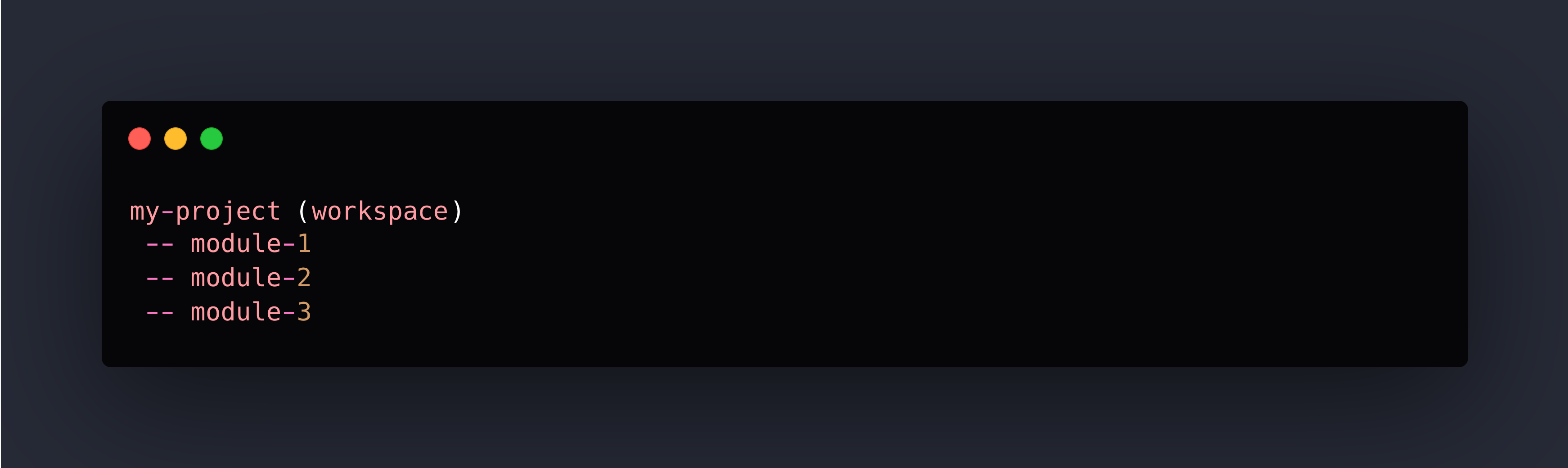
A module is simply a folder with a cjpm.toml file - whilst these can also be created by hand, the cli tool simplifies the process. The approach to the setup is to create a cjpm workspace at the project root and then separate module within the workspace.
It will look like this:
Create the workspace
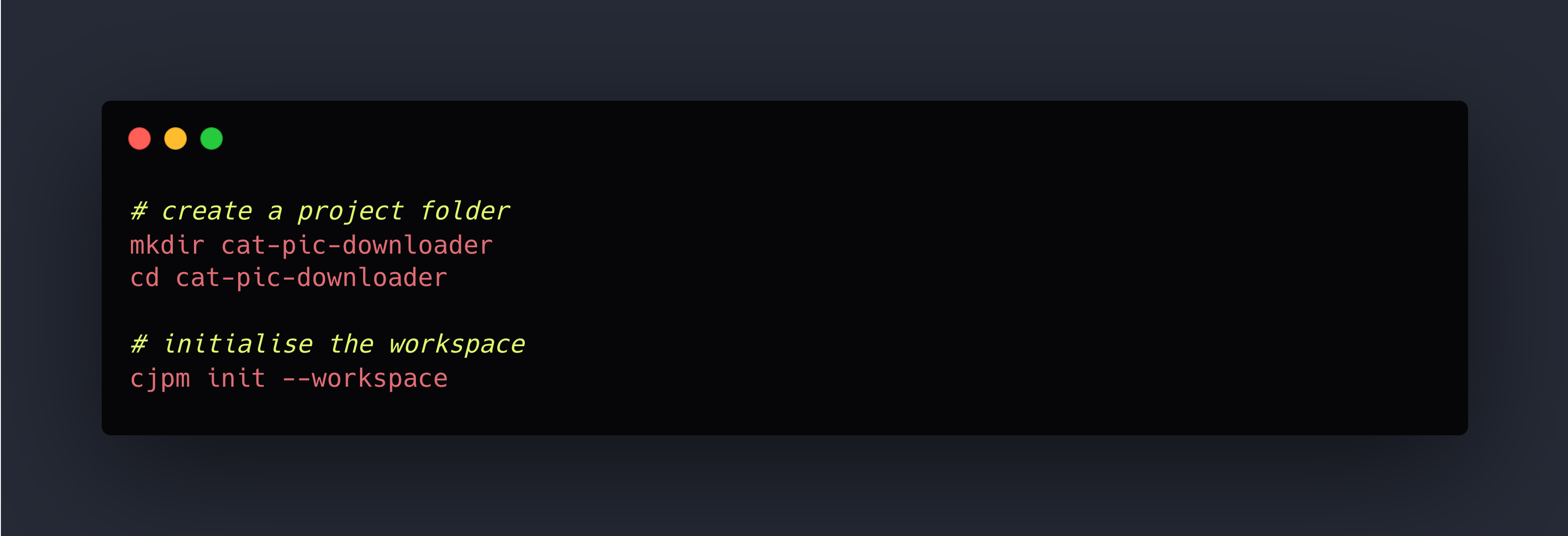
In the root of your project, initialise a workspace:
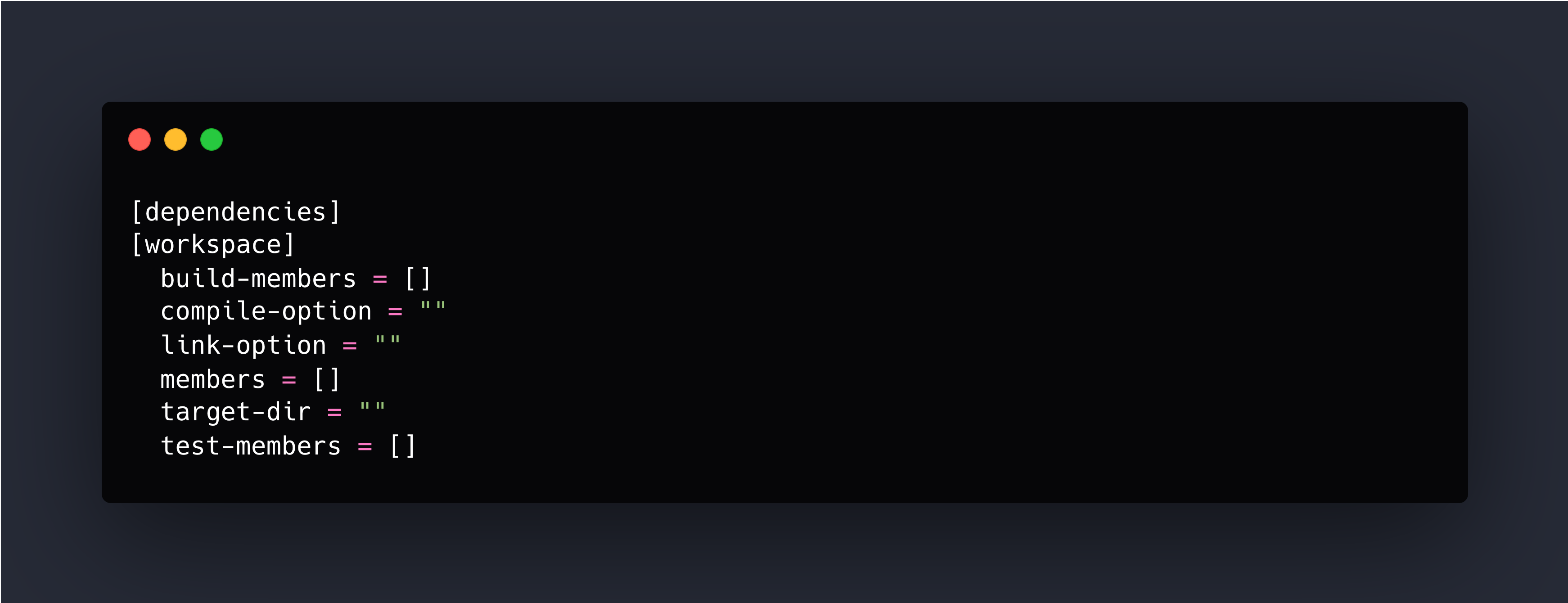
At this stage, your project directory will have a cjpm.toml which is the configuration for your workspace. A newly initialised workspace config will look like this.
Add the modules
To add a module to the project, use the cjpm init command but with the options to specify the type of module to create (executable, a static library or a dynamic library).
Let’s add a couple of modules to our sample project.
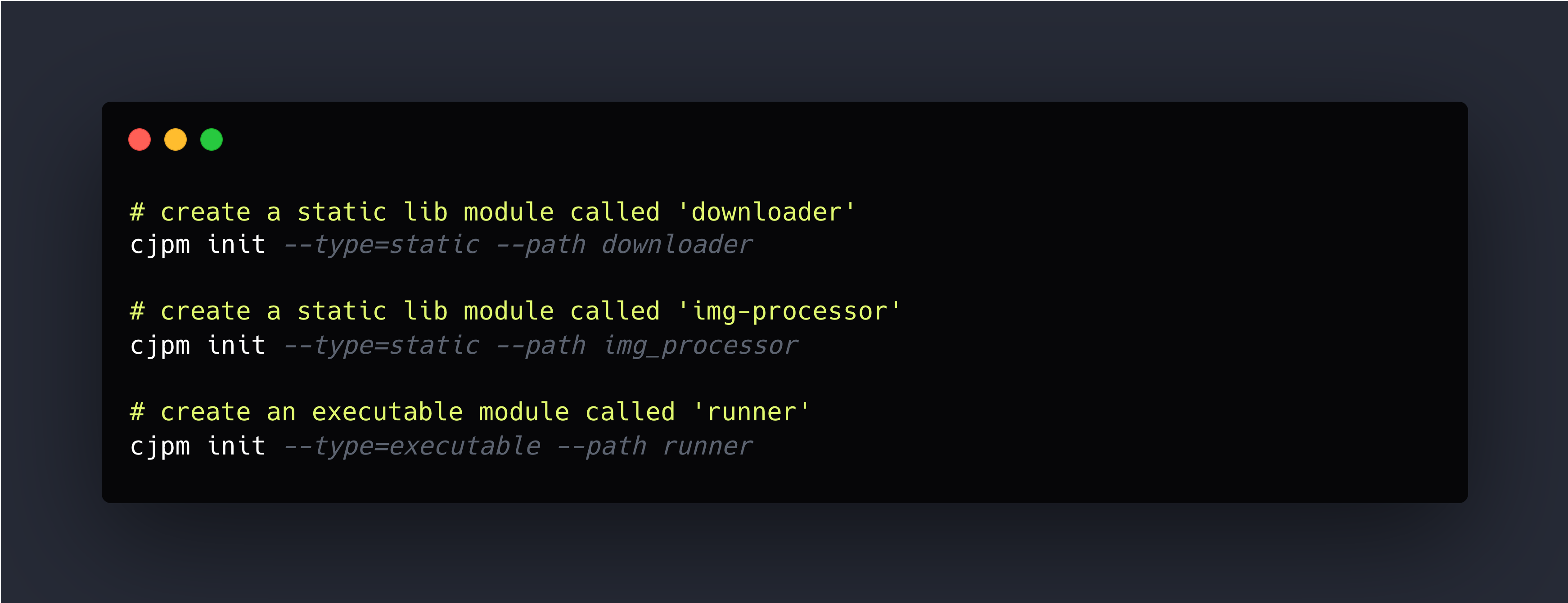
By default, a newly created module has a src directory and it's own cjpm.toml to configure the module. (Static library modules will have no source code. Executable modules will have a main.cj file).
Add the modules to the workspace
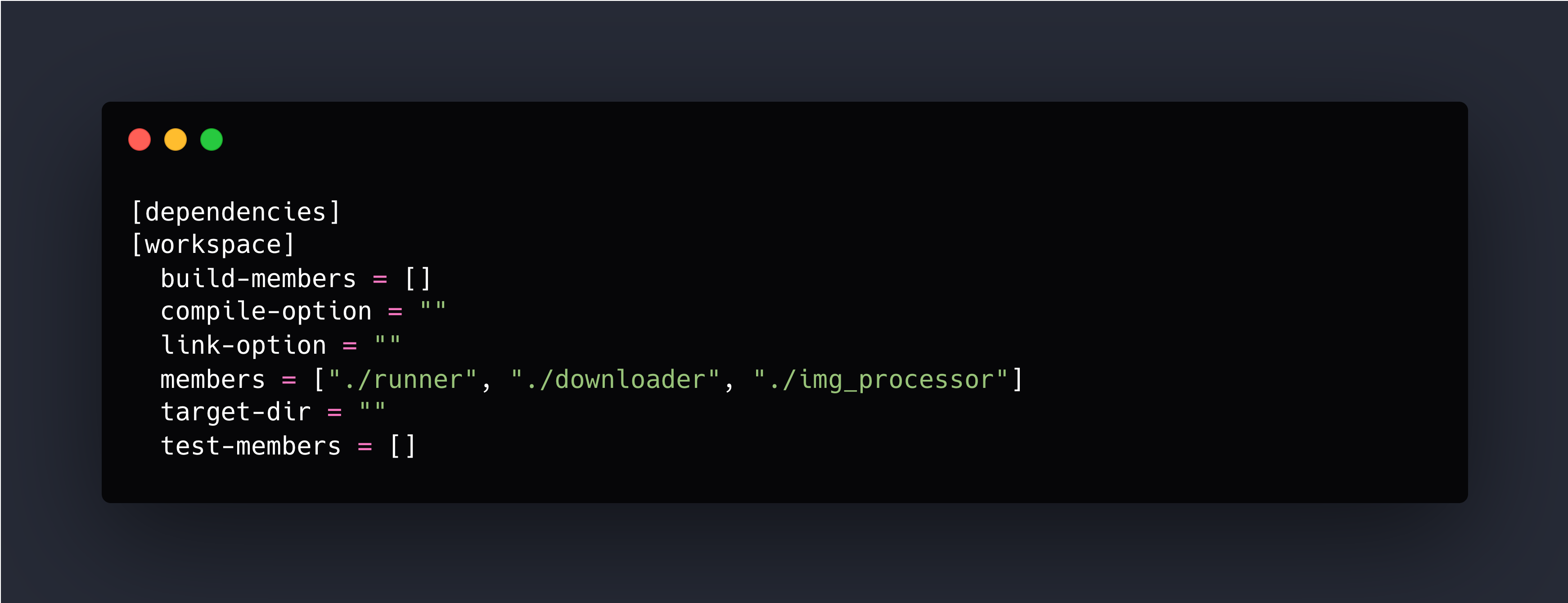
So that the workspace is aware of the modules we created, we need to add them to the members field of the workspace's cjpm.toml.
Edit the cjpm.toml as follows:
Add library source code
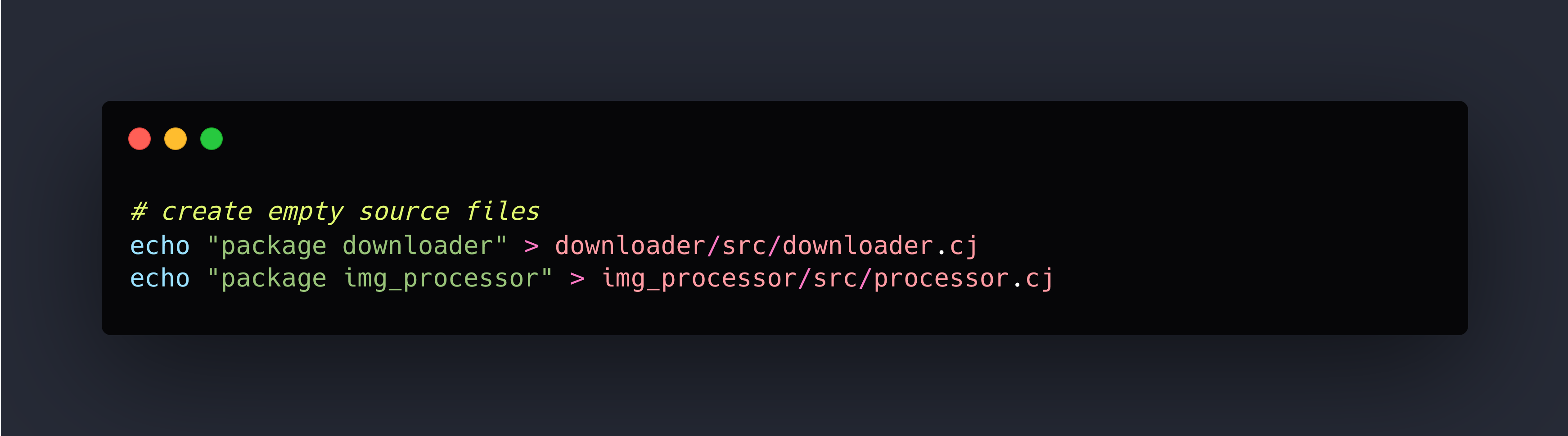
Before we can build the project, we need to add some source code to the library modules.
For now, we just do the following:
Building the project
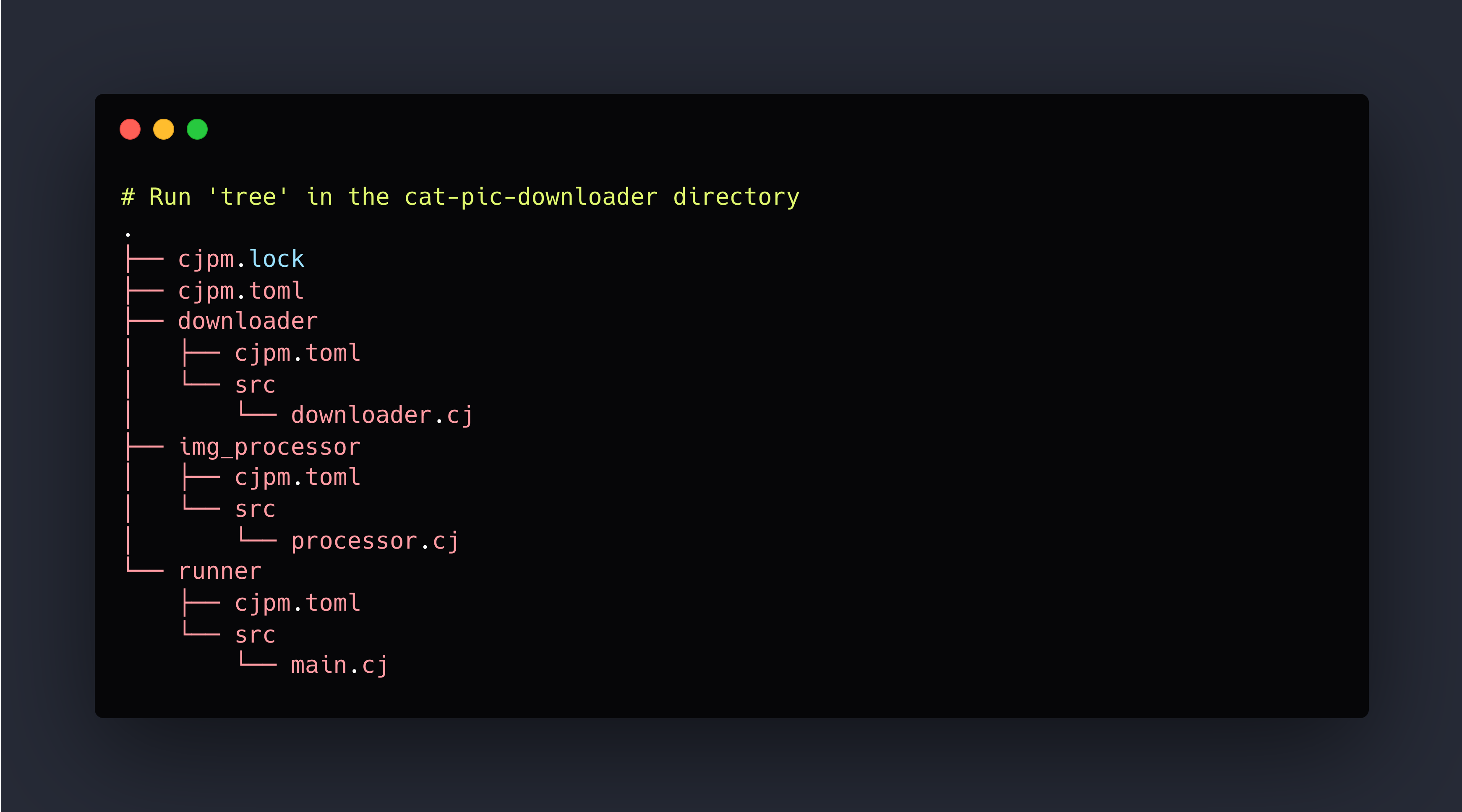
By now our project structure looks as follows.
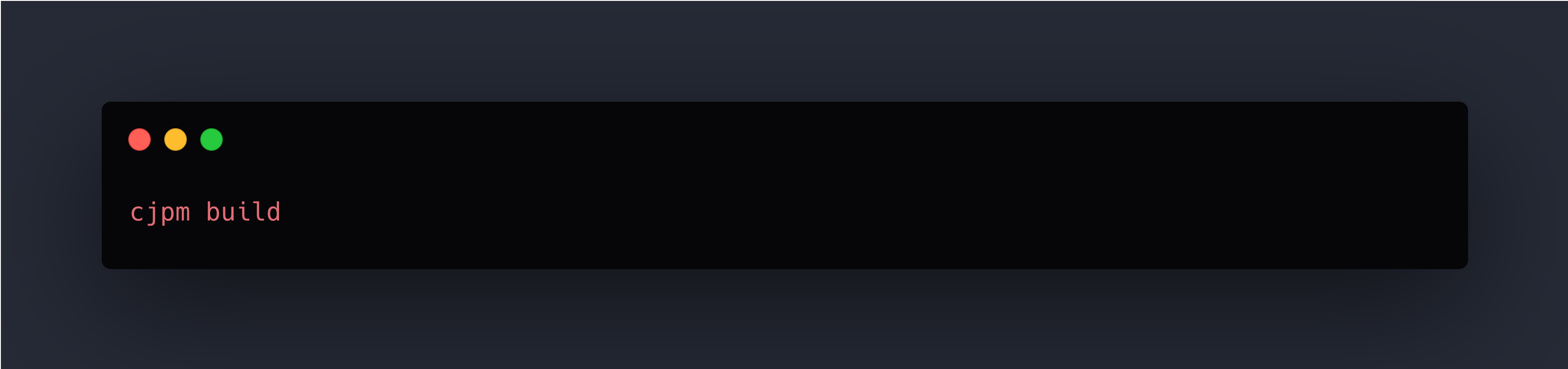
To build the project run:
Running the project
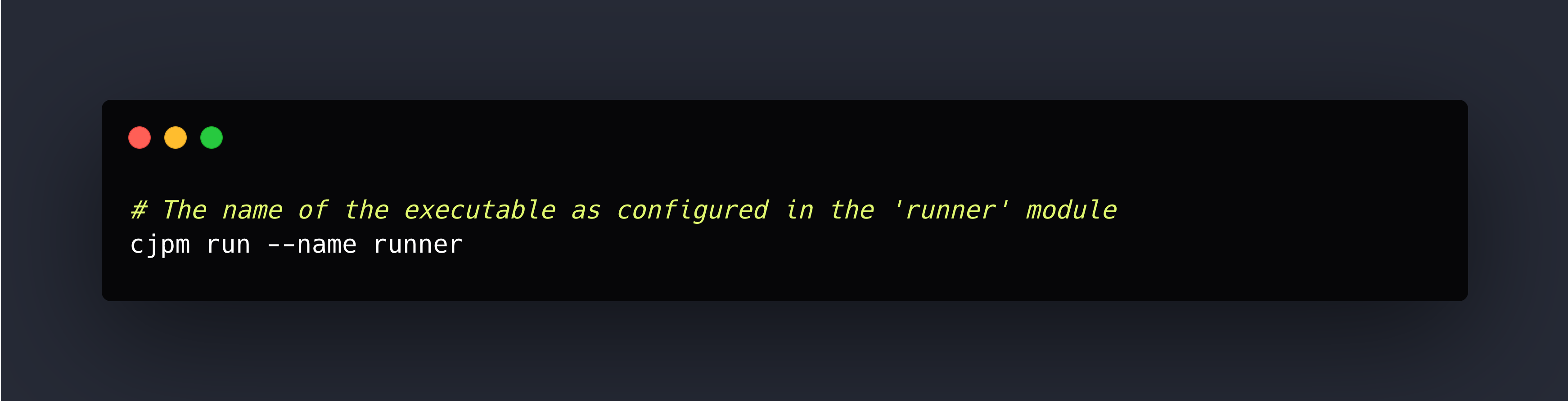
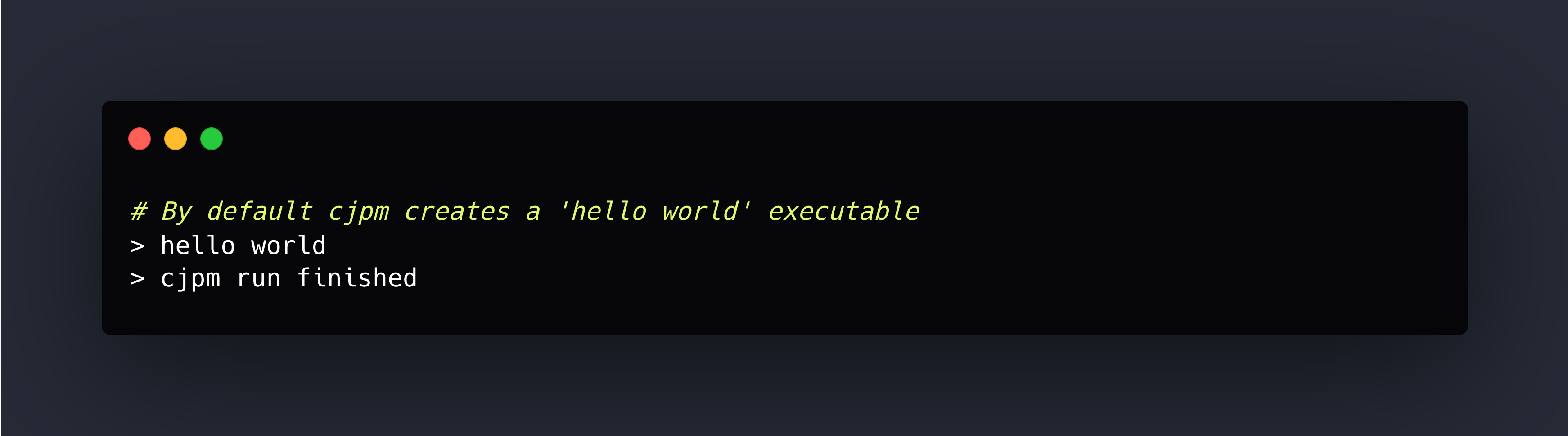
To run the project we need to tell cjpm the executable to run.
Jasper Morgan
CEO, Snapp Technology
Founder of Snapp Technology. I bring 20 years of software engineering experience to building no-nonsense, developer-friendly companies that clients genuinely love. My focus is on creating products that are clear, efficient, and built to solve real problems without unnecessary complexity.


September 2, 2025
Multi-Module Projects with Cangjie
Jasper Morgan
The Cangjie package manager cjpm is a cli tool which can be used to setup multi-module projects.
A module is simply a folder with a cjpm.toml file - whilst these can also be created by hand, the cli tool simplifies the process. The approach to the setup is to create a cjpm workspace at the project root and then separate module within the workspace.
It will look like this:
Create the workspace
In the root of your project, initialise a workspace:
At this stage, your project directory will have a cjpm.toml which is the configuration for your workspace. A newly initialised workspace config will look like this.
Add the modules
To add a module to the project, use the cjpm init command but with the options to specify the type of module to create (executable, a static library or a dynamic library).
Let’s add a couple of modules to our sample project.
By default, a newly created module has a src directory and it's own cjpm.toml to configure the module. (Static library modules will have no source code. Executable modules will have a main.cj file).
Add the modules to the workspace
So that the workspace is aware of the modules we created, we need to add them to the members field of the workspace's cjpm.toml.
Edit the cjpm.toml as follows:
Add library source code
Before we can build the project, we need to add some source code to the library modules.
For now, we just do the following:
Building the project
By now our project structure looks as follows.
To build the project run:
Running the project
To run the project we need to tell cjpm the executable to run.
Jasper Morgan
CEO, Snapp Technology
Founder of Snapp Technology. I bring 20 years of software engineering experience to building no-nonsense, developer-friendly companies that clients genuinely love. My focus is on creating products that are clear, efficient, and built to solve real problems without unnecessary complexity.


September 2, 2025
Multi-Module Projects with Cangjie
Jasper Morgan
The Cangjie package manager cjpm is a cli tool which can be used to setup multi-module projects.
A module is simply a folder with a cjpm.toml file - whilst these can also be created by hand, the cli tool simplifies the process. The approach to the setup is to create a cjpm workspace at the project root and then separate module within the workspace.
It will look like this:
Create the workspace
In the root of your project, initialise a workspace:
At this stage, your project directory will have a cjpm.toml which is the configuration for your workspace. A newly initialised workspace config will look like this.
Add the modules
To add a module to the project, use the cjpm init command but with the options to specify the type of module to create (executable, a static library or a dynamic library).
Let’s add a couple of modules to our sample project.
By default, a newly created module has a src directory and it's own cjpm.toml to configure the module. (Static library modules will have no source code. Executable modules will have a main.cj file).
Add the modules to the workspace
So that the workspace is aware of the modules we created, we need to add them to the members field of the workspace's cjpm.toml.
Edit the cjpm.toml as follows:
Add library source code
Before we can build the project, we need to add some source code to the library modules.
For now, we just do the following:
Building the project
By now our project structure looks as follows.
To build the project run:
Running the project
To run the project we need to tell cjpm the executable to run.
Jasper Morgan
CEO, Snapp Technology
Founder of Snapp Technology. I bring 20 years of software engineering experience to building no-nonsense, developer-friendly companies that clients genuinely love. My focus is on creating products that are clear, efficient, and built to solve real problems without unnecessary complexity.